Prepare your instance.
Verify your first task.
A walkthrough of setup screens, model configuration and a small task you can check yourself.
Screens reflect the current development interface; details may vary by version.
1. Choose how you will access AgReady
Joining an existing instance: ask its administrator for the correct instance address and an account. Do not repeat first-time setup on an initialized instance. This website does not provide a public hosted login or self-service signup.
Self-hosting: AgReady has its own download resources: the Server version catalog and installer script. The public catalog currently lists Server 0.0.1 for Linux and macOS, on AMD64 and ARM64. Review the applicable release, license and installer before using them. Check the release requirements before installing.
Choose the release appropriate for your environment. The public catalog and the development screens below may differ.
Before setup, prepare persistent storage, a database choice, administrator credentials and access to a supported model API. Model use may incur provider charges.
2. Follow first-time setup
The sequence below describes the development interface. Use the prompts and release documentation for your actual instance if they differ.
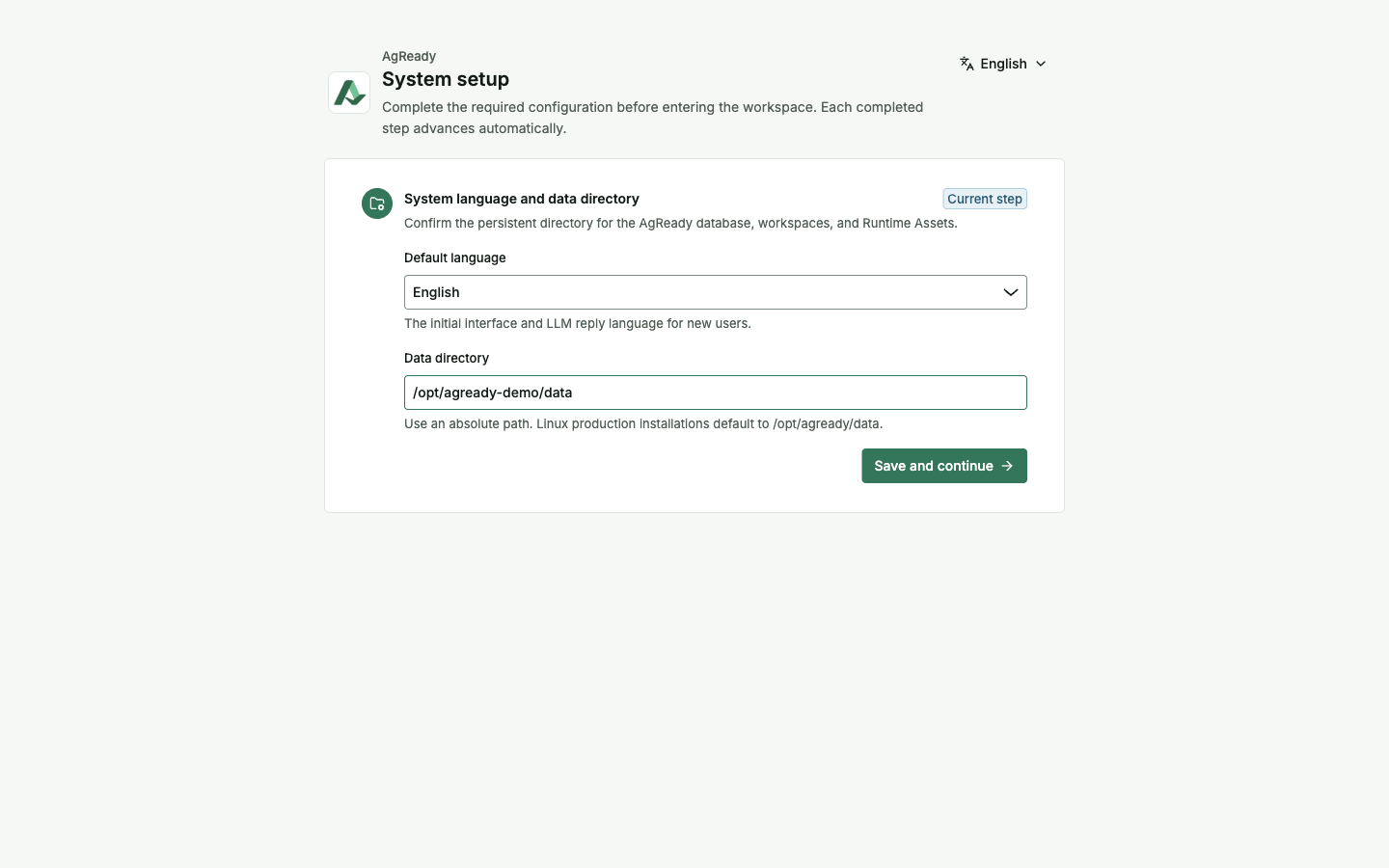
Language and data directory
Choose Default language and a writable, persistent absolute Data directory. Select Save and continue. If your instance asks for a restart after a directory change, follow that instruction before continuing. Choose a directory appropriate for your deployment.
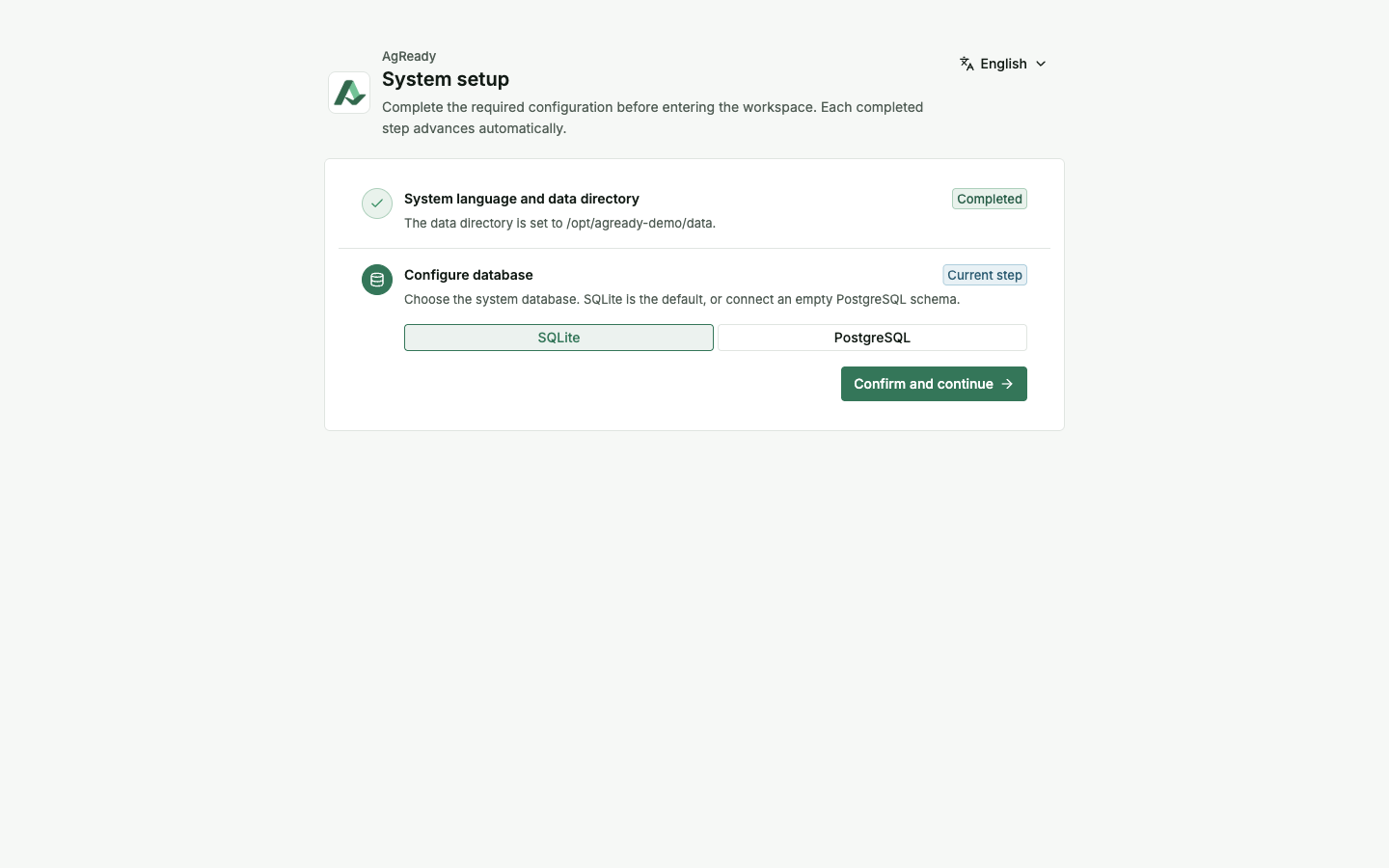
Database
Select SQLite or configure PostgreSQL for your environment. A PostgreSQL setup should use the required empty schema and a real connection check. Select Confirm and continue only after checking the relevant settings.
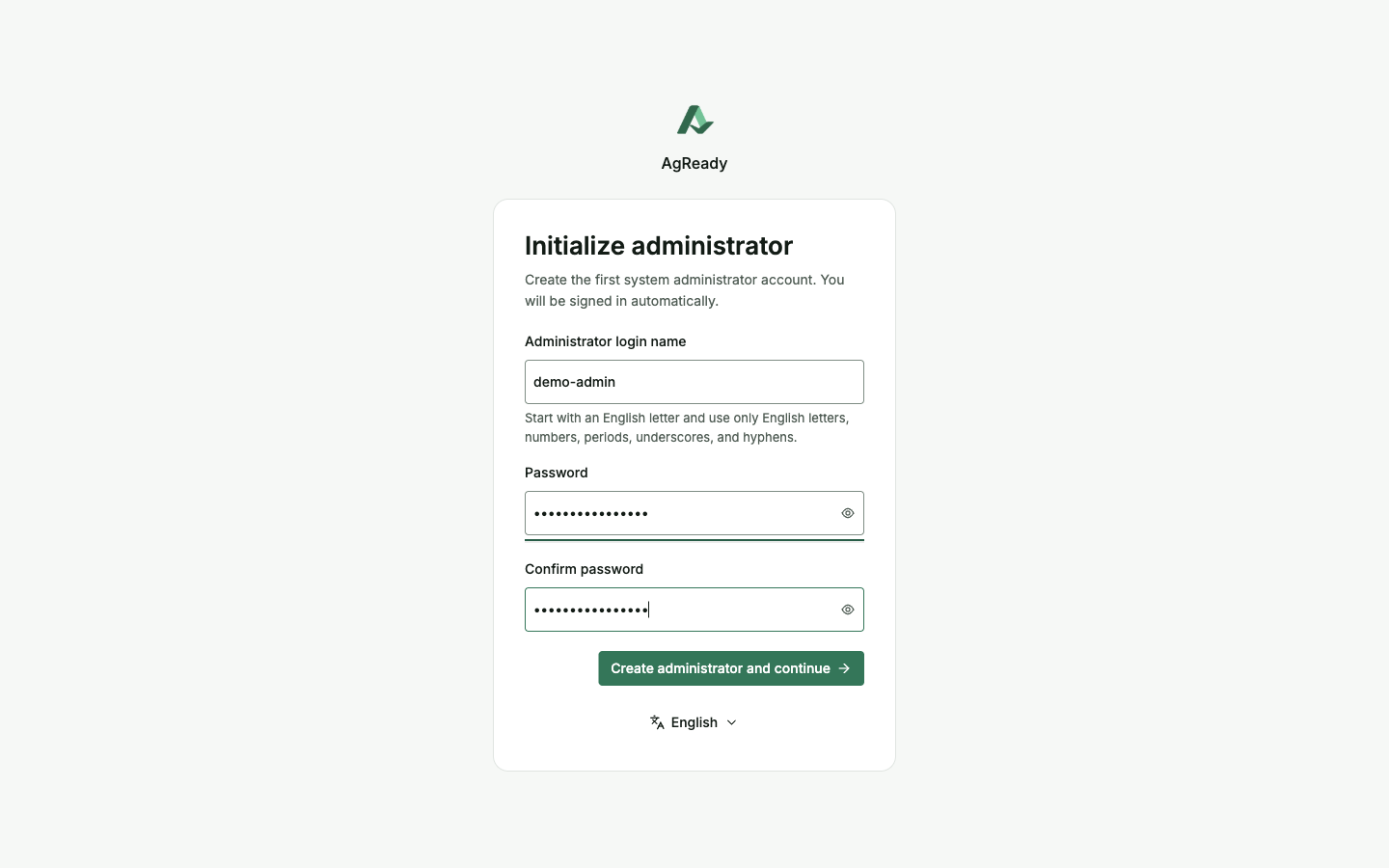
First administrator
Enter your own administrator login name and a strong, unique password, then confirm it. The interface provides Create administrator and continue. Use your own credentials. Existing-instance users should get an account from their administrator instead.
3. Configure and verify a chat model
Fill Provider type to match your provider's actual API protocol, a stable local Model name, the exact Upstream model ID and the provider's Base URL. Enter credentials only in your instance, not in public support messages or screenshots.
Do not copy the connection values in these images. https://api.example.com/v1 and example-chat-model are fictional placeholders and will not establish a working connection. The context capacity and capability checkboxes must match your actual model; they are not universal defaults.
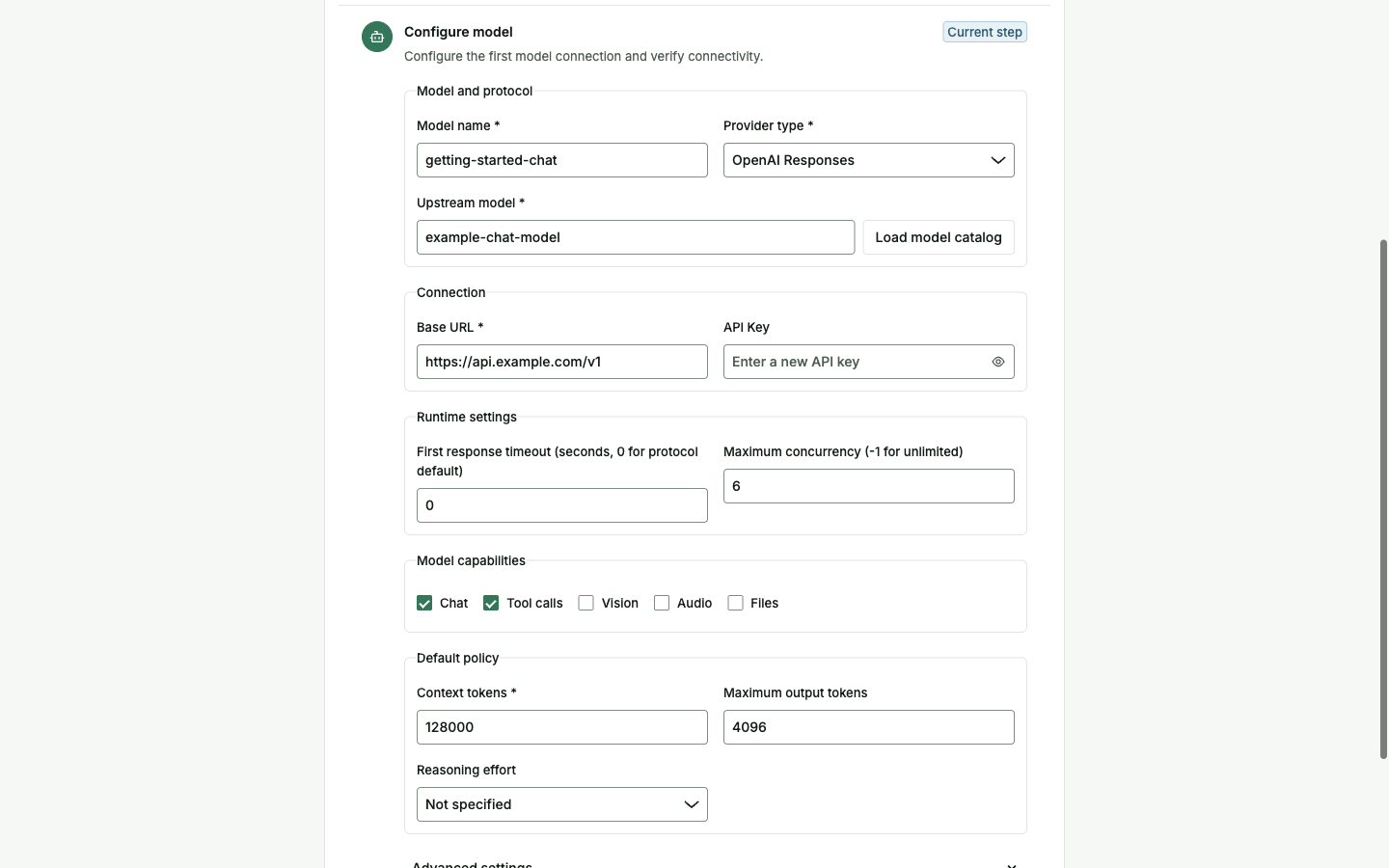
Use Test connection on your own configuration and inspect the result. If it fails, check credentials, upstream model ID, Base URL and protocol before retrying. Then use Save model and confirm the saved model's status.
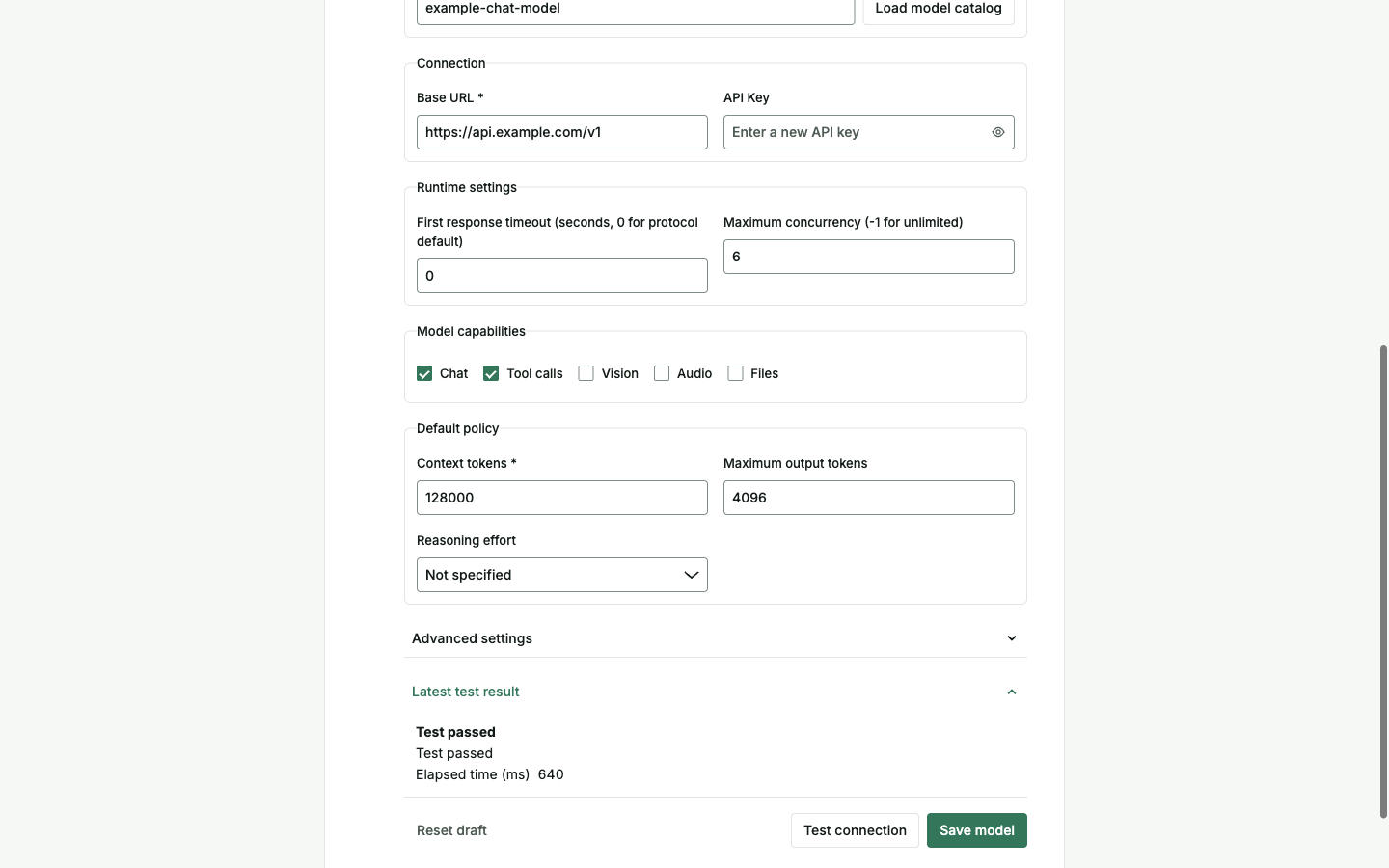
In the reviewed development implementation, saving a model or finishing setup is not enough to prove that the model works: a failed model test can still leave a saved configuration. Check the real connection result and complete a real first task. A connection test alone does not verify all tool capabilities.
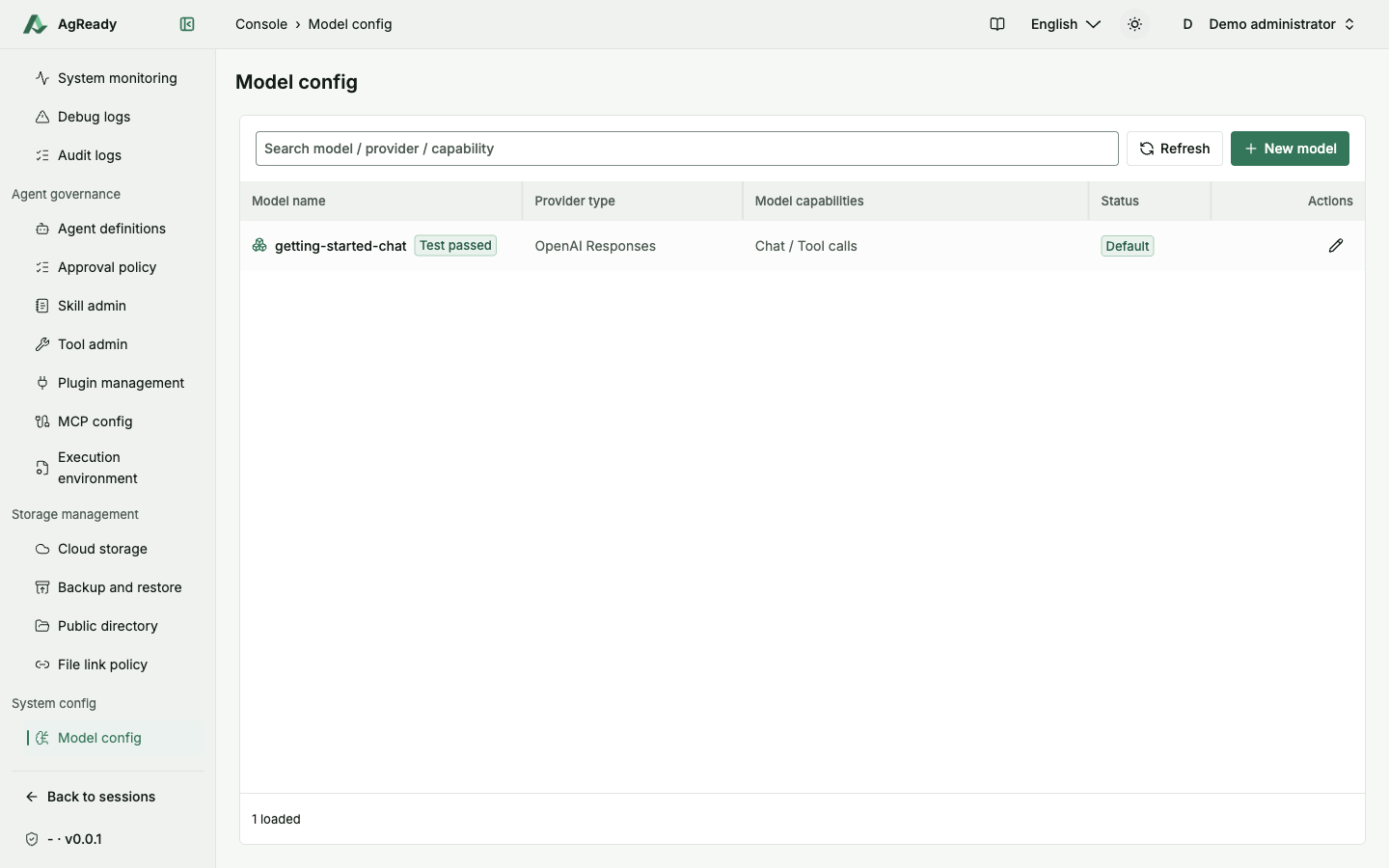
Once your real setup is complete, use Finish and open dashboard where provided. Later model management is under System config → Model config. Only select a default after verifying that the intended model works.
4. Send a small, bounded first task
In your instance, open Main Agent and confirm the selected chat model. Paste the full example into Message AgReady, then use Send message. No external accounts, attachments or extra tool services are needed for this text-only exercise.
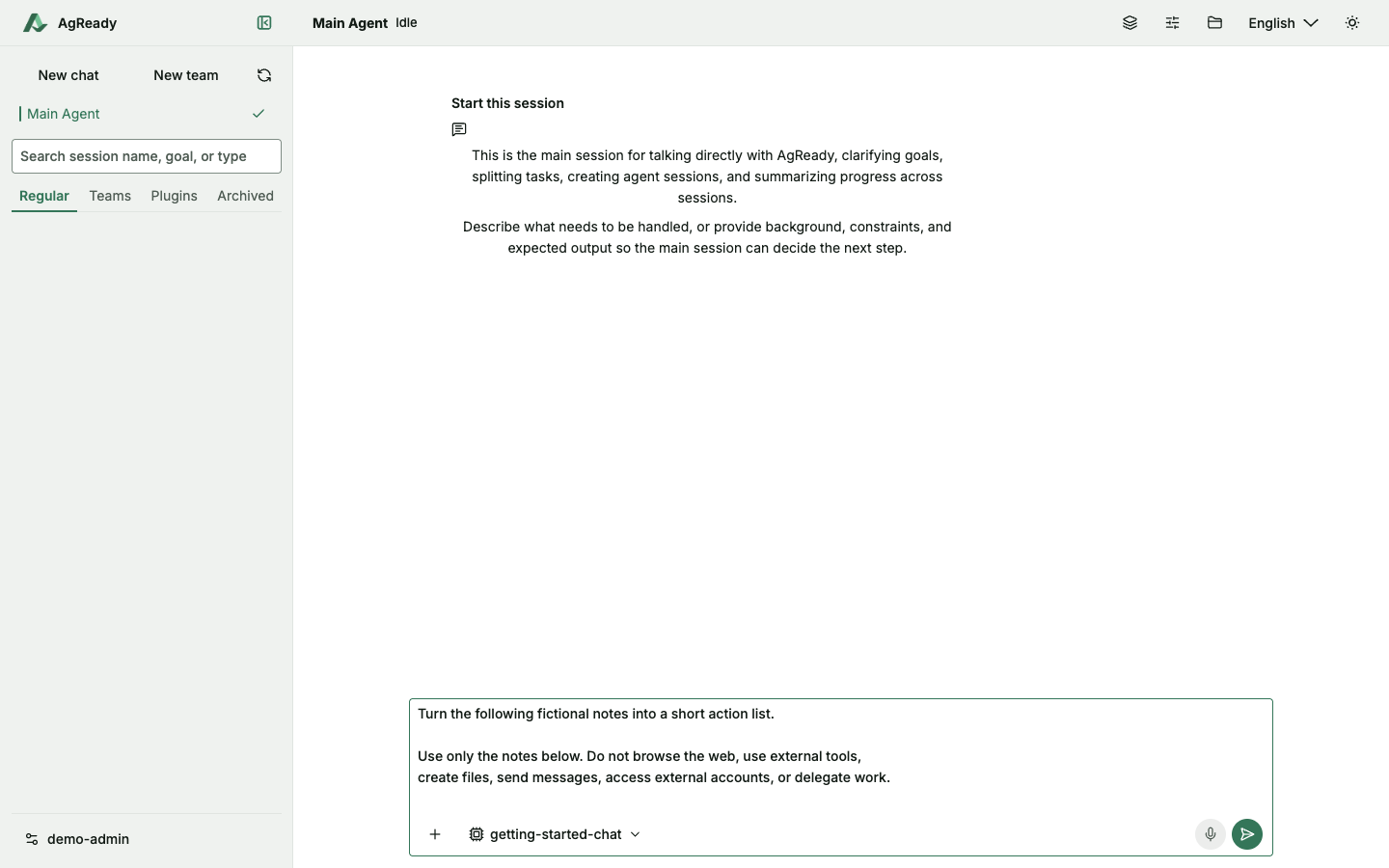
Copyable task input
Turn the following fictional notes into a short action list.

Use only the notes below. Do not browse the web, use external tools,
create files, send messages, access external accounts, or delegate work.

Notes:
- Writer A will draft the welcome text by Monday.
- Reviewer B will review that text by Wednesday.
- Editor C will prepare the final draft by Friday.
- The team has not decided where review comments should be collected.

Return:
1. A Markdown table with exactly these columns:
   Task | Owner | Due date
   Include exactly three data rows.
2. One unresolved question based on the notes.

Do not invent additional tasks, people, dates, or decisions.
Write the answer in English.
See the expanded full input
5. Check the result against the notes
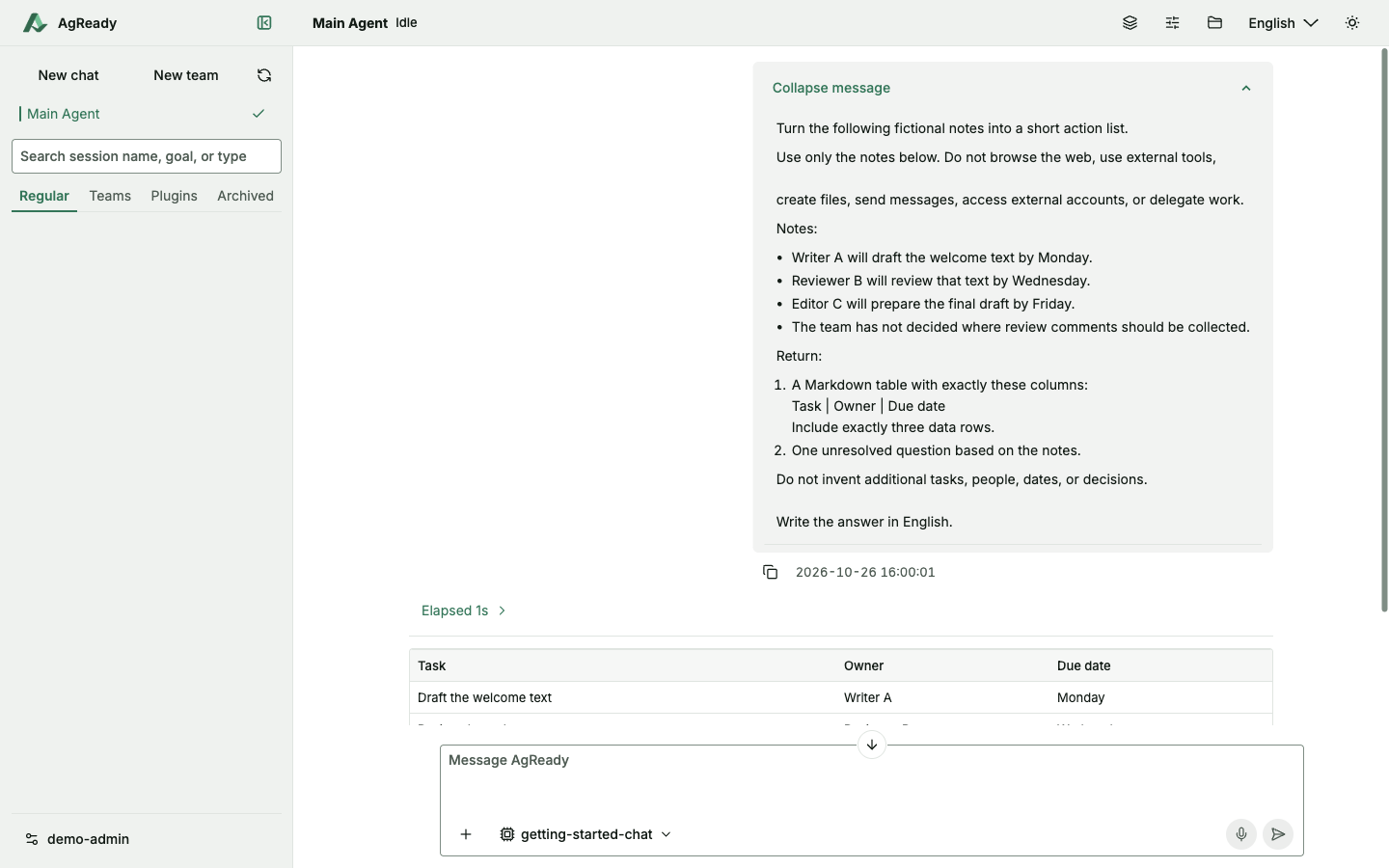
The intended deliverable is a three-row table and one unresolved question in the conversation—not a file. Use the example result below to understand the expected structure, then check your own response against the notes.
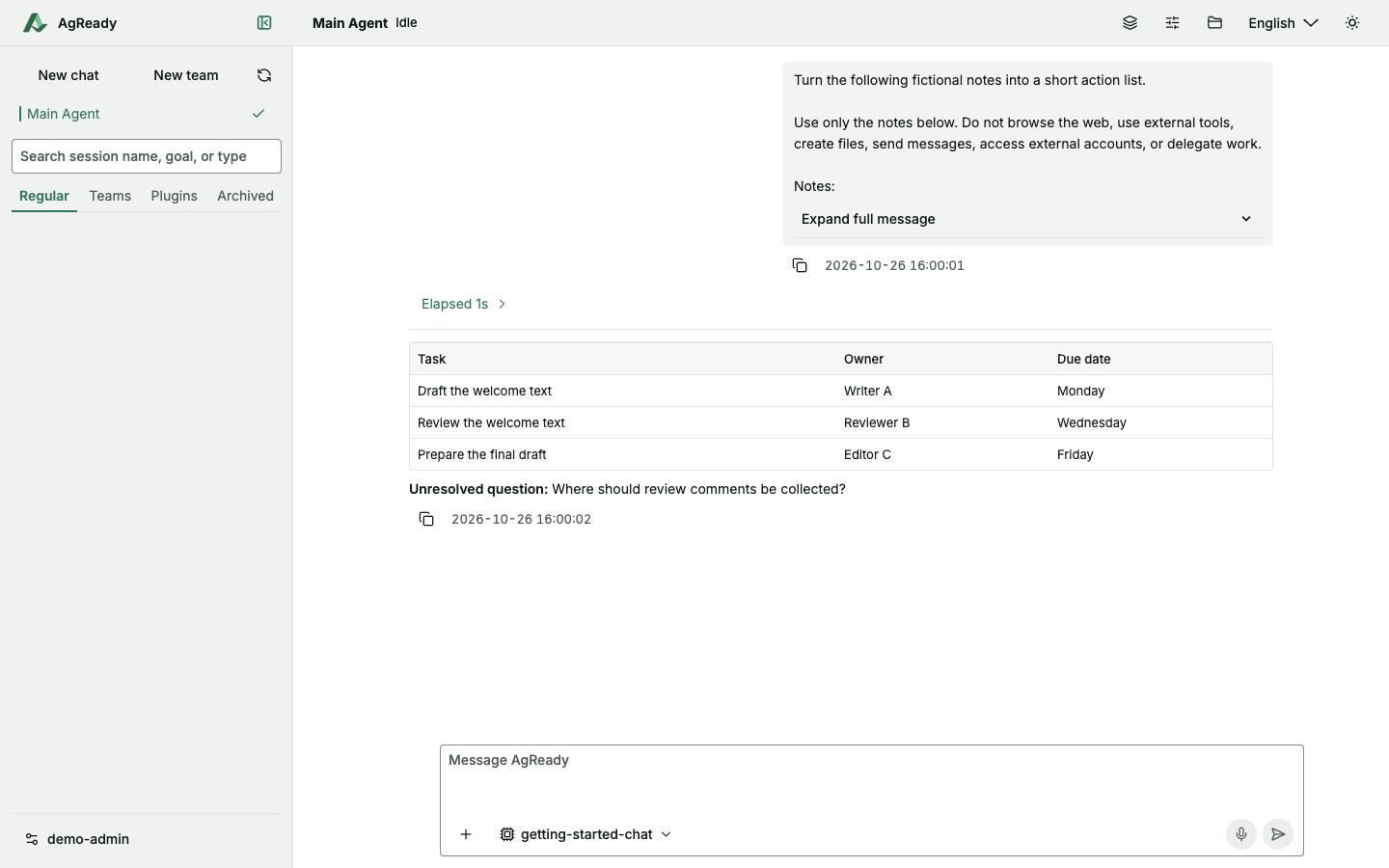
- Exactly three rows: draft the welcome text, review it, and prepare the final draft.
- Owners and dates match the notes: Writer A / Monday; Reviewer B / Wednesday; Editor C / Friday.
- The unresolved question remains: where should review comments be collected?
- No added tasks, people, dates or decisions.
- No error, unresolved approval or unapproved side effect. A reply appearing on screen is not enough by itself.
Inspect your own real result against these checks. If it differs, identify the unsupported claim or missing requirement and ask for a focused correction.
6. Stop carefully and resolve blockers
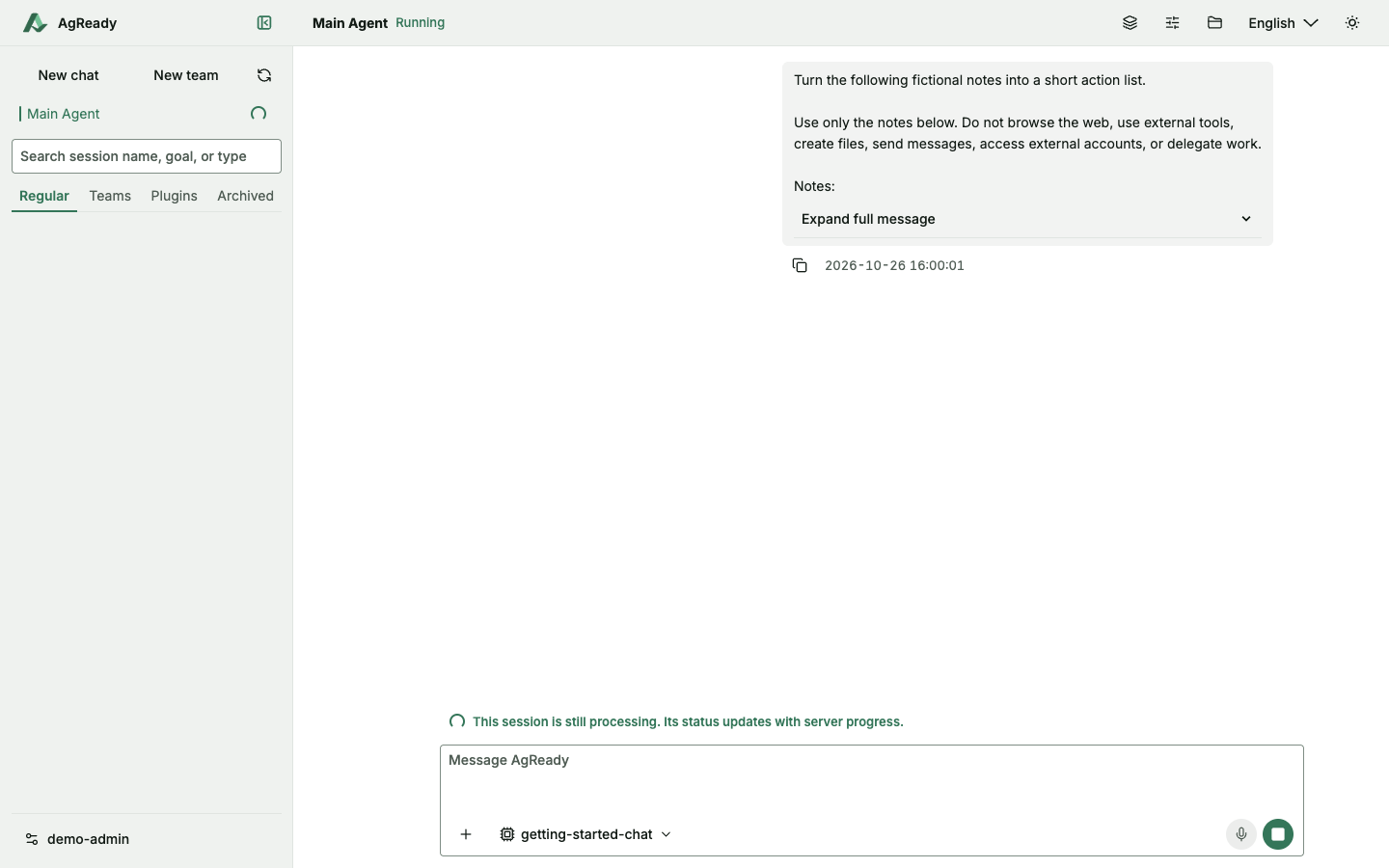
During a run, the composer can show Stop current run. A stop request does not undo external actions that already happened and does not necessarily clear queued messages. Check the resulting state before restarting or repeating work.
- No signup or failed login
- Use the correct instance address and ask its administrator about access. A generic login failure does not identify whether an account is absent, disabled or has an incorrect password.
- Model test or first task fails
- Check provider protocol, Base URL, upstream ID and credentials. Inspect the actual test result rather than only the saved-state notification.
- Waiting for approval
- Read the requested action, resources and scope. Allow only what you authorize, or decline. Available approval choices vary by request; no approval screenshot is included in this walkthrough.
- Chat works but tools do not
- Check the relevant execution environment and Runtime Assets. Server availability alone does not prove tool readiness.
For more context, read core concepts and how to write a verifiable task. Send questions to [email protected], without API keys or private instance details.